Practical technology education. Senior-friendly AI. Scam defense. Measurable impact.

Resources

Health, wealth, digital protection and event resources from Bridging Technologies ATL and our community partners.

8 available now 4 coming soon

Everything here is free to open, save and print. You never need an account or a password.

Health

Movement, fitness and wellness resources, with practical emergency-readiness guidance for your phone.

Medical ID Setup Instructions

The one-page handout from the event: step-by-step Medical ID setup for an iPhone, a Samsung Galaxy and a Google Pixel, so emergency responders can see essential health information. Print it and keep it by the phone.

PDF 924 KB 1 page

Bridging Technologies ATL, with DaShaun Johnson

View Document
Need help saving or printing this?

On an iPhone or iPad: tap View Document. When it opens, tap the Share button, then choose Save to Files to keep it or Print to print it.

On an Android phone: tap Download PDF to save it. Your phone will show it in Downloads or Files. To print, open it and use the menu, then Print.

On a computer: all three buttons work as labelled. Some browsers show the document instead of saving it — if that happens, use your browser's own Save or Print option.

Different phones and browsers handle documents slightly differently, so what you see may not match exactly. You never need an account or a password to open anything here.
Exercise and Movement Handout

Practical movement guidance to use at home, from the Guru of Abs / Prescription Fit program.

DaShaun Johnson, Guru of Abs / Prescription Fit

Coming soon

Wellness Guide

Everyday wellness guidance for staying active and independent.

DaShaun Johnson, Guru of Abs / Prescription Fit

Coming soon

Wealth

General financial education to help you understand everyday decisions and recognize when something is wrong.

About The Power of Your Money

Power of Your Money (POYM) is a financial education and empowerment company dedicated to helping individuals, families, students, entrepreneurs, and communities build financial confidence and long-term wealth.

Through our interactive digital learning platform, workshops, and customized financial education programs, we partner with schools, universities, businesses, nonprofits, and community organizations to deliver practical, accessible financial education.

Our Mission

To bridge the financial literacy gap by transforming financial knowledge into confident decisions, economic empowerment, and generational wealth—turning access into ownership.

The Power of Your Money is an independent company led by Tommy Stapleton. Its programs are its own and are not provided by Bridging Technologies ATL.

Financial Education Handout

General financial education to help you understand common decisions and the questions worth asking.

Tommy Stapleton | The Power of Your Money

Coming soon

Fraud Protection Guide

How financial fraud is commonly attempted, and the practical steps that interrupt it.

Tommy Stapleton | The Power of Your Money

Coming soon

Digital Life

Recognize manipulation, practice protection skills, and get patient help with your devices.

Learn

Verify Outside the Conversation

Learn how to recognize suspicious requests and check them a different way — without using the phone number, link, or instructions the suspicious message gave you.

180ANGLES, by Bridging Technologies ATL

Open this lesson(opens in a new tab)

Practice

Break the Play — Practice Your Protection Skills

Practice recognizing scam tactics, making safer decisions, and protecting yourself through interactive scenarios.

180ANGLES, by Bridging Technologies ATL

No code needed. You can practice as a guest. If you were given a Participant Code at an event, enter it so your practice counts toward your group.

Start practicing(opens in a new tab)

Get Support

Ask Chet — Get Digital Help

Have a technology question? Get friendly, easy-to-understand digital guidance through Ask Chet.

Bridging Technologies ATL

Open Ask Chet(opens in a new tab)

Set Up100% FREE LESSON

Medical I.D. & Emergency Info on Your Phone

Learn how to set up Medical ID and emergency information on your iPhone or Android so first responders can access important details when needed, even while your phone is locked, where supported.

Talk Tech With Chet, by Bridging Technologies ATL

Get My FREE Medical ID Lesson

Talk Tech With Chet

Digital literacy education built for older adults, at a patient pace.

Bridging Technologies ATL

Open Talk Tech With Chet

Digital Self-Defense Resource Guide

The one-page guide from the event: where to learn the skill, where to practice it, and where to get help. Print it and keep it by the phone.

PDF 496 KB 1 page

Bridging Technologies ATL

View Document
Need help saving or printing this?

On an iPhone or iPad: tap View Document. When it opens, tap the Share button, then choose Save to Files to keep it or Print to print it.

On an Android phone: tap Download PDF to save it. Your phone will show it in Downloads or Files. To print, open it and use the menu, then Print.

On a computer: all three buttons work as labelled. Some browsers show the document instead of saving it — if that happens, use your browser's own Save or Print option.

Different phones and browsers handle documents slightly differently, so what you see may not match exactly. You never need an account or a password to open anything here.

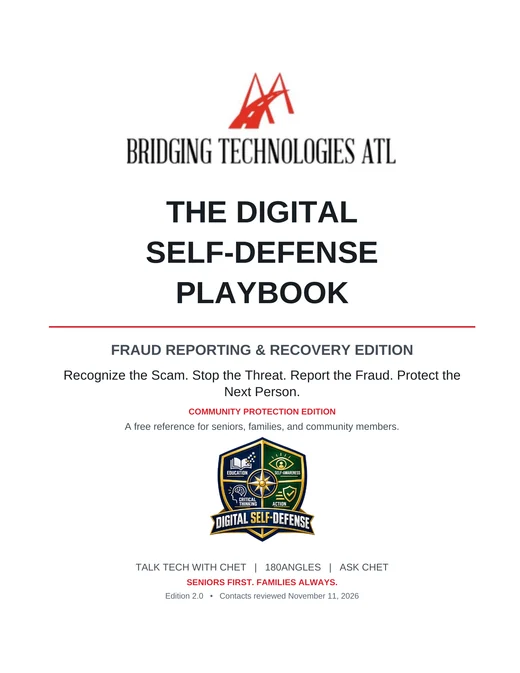
THE DIGITAL SELF-DEFENSE PLAYBOOK

Fraud Reporting & Recovery Edition

Know what to do when a scam happens. This free, easy-to-follow guide helps you recognize fraud, take immediate action, report scams to the proper agencies, protect your information, and begin recovery. Includes trusted reporting contacts, real-world examples, and practical protection steps.

PDF · 26 pages · 417 KB · Free, with no sign-up

Bridging Technologies ATL

Event Resources

Handouts and materials tied to a specific community event. Event materials also appear on that event’s own page.

Event handouts appear here once an event’s materials are approved.

Come back to these any time

Save the hub to your phone's Home Screen and this library is one tap away.

Save This Page